
Operations Hub is the most underused tool in the HubSpot ecosystem. Most teams treat it as a data sync utility. It is actually a programmable automation engine that can eliminate entire categories of manual RevOps work.
- What Operations Hub actually does
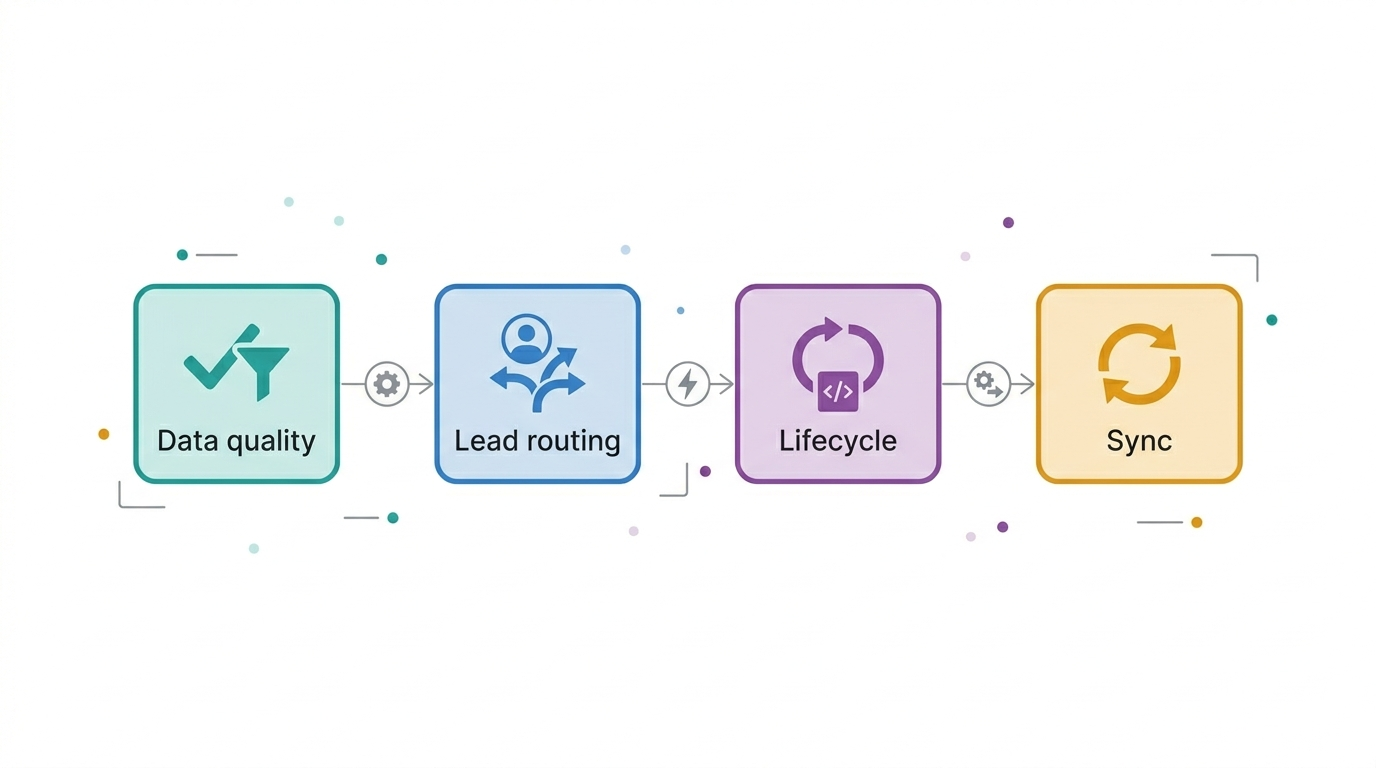
- The four workflow types that drive revenue operations
- Data quality automation: the foundation layer
- Lead routing and assignment automation
- Lifecycle stage automation done correctly
- Custom coded actions: when native automation isn't enough
- Workflow governance: preventing automation sprawl
- A practical automation build sequence
What Operations Hub actually does
Operations Hub is HubSpot's programmatic layer — the tool that sits between your data and your workflows and makes both more intelligent. It has three core capabilities that distinguish it from standard HubSpot automation:
- Programmable automation: custom JavaScript code actions that run inside workflows, enabling logic that native workflow actions cannot express
- Data sync: two-way, real-time synchronisation between HubSpot and third-party tools with field mapping, filtering, and conflict resolution
- Data quality tools: automated formatting, deduplication, and enrichment at the point of record creation or update
Together, these three capabilities make Operations Hub the difference between a HubSpot implementation that requires constant manual intervention and one that maintains its own data quality and executes complex business logic automatically.
The distinction between Marketing Hub workflows and Operations Hub workflows is not just technical — it is strategic. Marketing Hub workflows move contacts through journeys. Operations Hub workflows maintain the integrity of the system those journeys run on. Both are necessary. Neither substitutes for the other.
The four workflow types that drive revenue operations
Data quality automation: the foundation layer
The most impactful Operations Hub workflows are the least glamorous: data quality automations that run silently on every new record, ensuring that the data entering your CRM is consistent, properly formatted, and enriched before any other automation touches it.
Without this foundation layer, every downstream workflow — lead scoring, routing, lifecycle management, reporting — operates on progressively degrading data. Data quality workflows are not optional infrastructure. They are the precondition for everything else working correctly.
Essential data quality workflows to build first
Trigger: Contact created or Phone property updated
Action: Custom code → format to E.164 standard (+1XXXXXXXXXX)
Why: Inconsistent phone formats break calling integrations and deduplification logic
2. Company domain normalisation
Trigger: Company created or Website property updated
Action: Custom code → strip http/https/www, lowercase, trim whitespace
Why: Domain is the primary dedup key for companies; inconsistency creates duplicates
3. Name capitalisation
Trigger: Contact created
Action: Custom code → proper-case First Name and Last Name fields
Why: Personalisation tokens in emails use raw field values; all-caps or all-lowercase names break email quality
4. Lead source enforcement
Trigger: Contact created with empty Original Source property
Action: Set Original Source to "Direct" and create internal task for manual review
Why: Contacts with no source data corrupt attribution reports silently
Lead routing is the workflow that determines which sales rep receives a new lead — and how quickly. Speed-to-lead is one of the highest-impact variables in B2B conversion rates: research consistently shows that response within five minutes increases conversion probability by significant multiples compared to response within an hour.
Manual lead assignment at any meaningful volume is a bottleneck. Operations Hub enables automated routing logic that native HubSpot workflows cannot express:
- Round-robin assignment: distributes leads evenly across a territory or team without manual tracking
- Weighted routing: assigns a higher percentage of leads to senior reps or high-capacity territories using custom code logic
- Conditional routing: routes to different teams or individuals based on ICP fit score, company size, industry, or deal value threshold
- Fallback routing: assigns to a backup owner if the primary owner is out of office or unresponsive within a defined window
Lead routing logic must be documented outside HubSpot — in a routing rules document that is reviewed quarterly. When routing breaks (and it will), the team needs to understand the intended logic to diagnose the failure. Undocumented routing workflows are black boxes that no one can debug.
Lifecycle stage automation done correctly
Lifecycle stage automation is the most consequential — and most commonly broken — automation in a HubSpot portal. The correct architecture separates lifecycle stage changes into three categories:
| Change type | Trigger mechanism | Example |
|---|---|---|
| Automated advancement | Behavioural or firmographic criteria met | Contact submits demo request form → automatically advances to MQL if ICP score threshold met |
| Manual advancement | Sales rep action with required field validation | Rep advances Contact to SQL → workflow enforces that Connect Date and Qualification Notes are populated before stage change is accepted |
| Automated regression | Inactivity or disqualification criteria | Contact has been SQL for 30 days with no deal created → automatically reverts to MQL and creates re-engagement task |
The failure mode to avoid is building lifecycle automation that only advances — never regresses. A lifecycle stage system that ratchets contacts forward regardless of actual buyer behaviour produces inflated MQL counts, false pipeline confidence, and attribution reports that don't reflect reality.
Custom coded actions: when native automation isn't enough
Operations Hub's custom coded actions allow you to write JavaScript that runs inside a workflow. This unlocks automation logic that native HubSpot workflow actions cannot express — complex calculations, conditional branching beyond HubSpot's native if/then limits, API calls to external systems, and data transformations that require programmatic logic.
Practical use cases for custom coded actions in a RevOps context include:
- Calculating a composite lead score from multiple weighted inputs and writing the result to a HubSpot property
- Making an API call to an enrichment provider (Clearbit, Apollo, ZoomInfo) when a new contact is created and writing the returned data to HubSpot properties
- Computing ARR from deal properties and syncing the calculated value to a custom object record
- Building weighted round-robin routing logic that accounts for rep capacity and territory rules simultaneously
Custom coded actions require a developer or technically proficient RevOps professional to write and maintain. Before building them, confirm: who will own this code when the person who wrote it leaves? Document the logic externally. Add comments inside the code. Treat it as production software, not a one-off configuration.
Workflow governance: preventing automation sprawl
Automation sprawl — the accumulation of overlapping, undocumented, and partially-broken workflows — is the most common cause of HubSpot performance degradation in mature portals. A portal with 200 active workflows and no governance documentation is more dangerous than a portal with 20 well-documented ones.
Workflow governance requires four practices:
- Naming convention enforcement: every workflow name must indicate its function, owner, and creation date. A workflow named "Follow up sequence — Marketing — 2024-Q3" is debuggable. One named "New workflow (3)" is not.
- External documentation: maintain a workflow registry outside HubSpot — a simple spreadsheet or Notion doc listing every active workflow, its trigger, its purpose, its owner, and when it was last reviewed.
- Quarterly audit: review all active workflows quarterly. Pause any workflow that cannot be explained by its current owner. Delete any workflow that has been paused for more than one quarter without a documented reason to keep it.
- Enrollment conflict checking: before activating a new workflow, verify that its enrollment criteria do not overlap with existing workflows in a way that could cause a contact to receive conflicting instructions simultaneously.
A practical automation build sequence
The order in which you build automation matters as much as what you build. Here is the sequence that produces stable, maintainable RevOps automation in HubSpot:
- Data quality layer first. Phone formatting, domain normalisation, name standardisation. These run on every record and protect everything downstream.
- Lead routing second. Automated assignment ensures that every new record has an owner before any nurture or lifecycle automation touches it.
- Lifecycle management third. Once data is clean and owned, lifecycle automation can advance and regress records reliably.
- Nurture and engagement fourth. Email sequences, task creation, and follow-up automation — built on top of a clean, well-routed, correctly staged contact base.
- Cross-system sync last. Once your internal HubSpot logic is stable, extend it outward to connected systems via Operations Hub data sync or custom coded API actions.
Every team wants to build the nurture sequences first because they are visible and feel impactful. The teams that build the data quality layer first are the ones whose nurture sequences actually work six months later.